
The Best Shot List App Features
Everything you need to plan your content and shots!
Cue Director:
AI-Powered Planning

Turn any idea into a structured shot list with AI planning, powered by Apple Intelligence.
Private, on-device processing. Unlimited generations. No subscription required.
Type your thoughts and let Cue Director create your shot list instantly.
Keyboard Power Everywhere
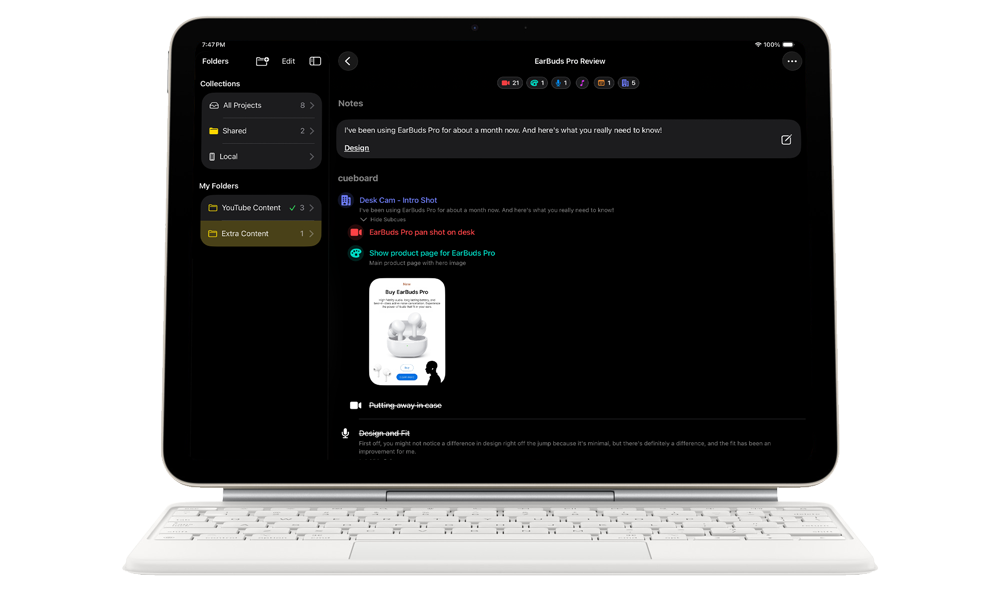
Shortcuts keep Cueboard feeling like a desktop editor no matter where you plan: ⌘F Flow, ⌘E Edit, ⌘R Reorder, ⌘1‑9 to jump between cue types, and ⌘⇧S to create subcues.
Whether you’re building a shortform project on iPad or rearranging a complex shot list on your Mac, every feature is instantly accessible without leaving the keyboard.
Cue your creativity!
Tap. Type. Confirm.
Flow Mode: Create Without Friction
Flow Mode is your rapid-fire builder. Tap once, type, hit Return to commit, and the next cue appears instantly. The lightweight type picker sits right above the keyboard, so switching formats mid-thought stays one-thumbable even when you're juggling gear on set.
Custom Cues, Colors, and Control
Tag each cue with built-in media types (video, photo, drone, voiceover, music, graphics, audio, notes, location) or create unlimited custom cue types with your own color and icon. Choose from 11 shapes and any color. Custom types sync across all your devices.
Organize Your Shoots
Create projects for each video or production. Group related projects into folders. Keep everything organized the way you already think about your work.
Break Down Complex Shots
Add subcues to any shot when you need multiple angles, takes, or variations. Each subcue can have its own details and visuals.
Visuals (Storyboards)
Add Visuals from Photos and attach them directly to the cues they illustrate. Visuals travel with the cue across devices. Build visual storyboards by adding multiple Visuals as subcues under a main shot. Perfect for shot planning and reference.
Track Your Progress
Check off cues as you complete them. See what's done and what's left to shoot.
Powerful Cue Type Filtering
Tap any cue chip in the top bar to instantly filter your shot list. See only Video shots, only Audio, or any combination you need. The shot counter shows incomplete counts for each type at a glance. When filtering is active, unselected types fade to the background so you always know what's visible. Perfect for focusing on specific aspects of your shoot.
Keep Production Notes
Add rich text notes to any project for call sheets, location details, equipment lists, or anything else you need to reference during the shoot.
iCloud Sharing with Local Freedom
Share projects and folders via iCloud with read-only or read-write permissions. Everyone sees updates in real-time. Cueboard saves everything locally first so you can plan in airplane mode, on remote sets, or anywhere without service. When you reconnect, Cueboard syncs quietly. No accounts, no sign-in.
Export, Copy, and Template Any Cut
Export to DOCX (Microsoft Word compatible, editable), PDF (high-fidelity client signoff), or Cueboard Templates (.cbt) for reusable project structures. Copy as List produces clean, formatted text with media labels that pastes perfectly into Notes, Google Docs, or Pages.
Reorder On The Fly
Drag to reorder your shots. Adjust your shooting sequence based on location, lighting, or whatever makes sense for your day.
Keyboard Shortcuts for Power Users
Cueboard is as fast as a desktop editor wherever you work. ⌘F enters Flow Mode, ⌘E edits inline, ⌘R reorders, ⌘1-9 switch cue types instantly, ⌘⇧S creates subcues, and ⌘B/⌘I/⌘U format notes. Every major action is shortcut ready on iPad keyboards and Apple Silicon Macs.
What Are Your Colors of Collaboration?
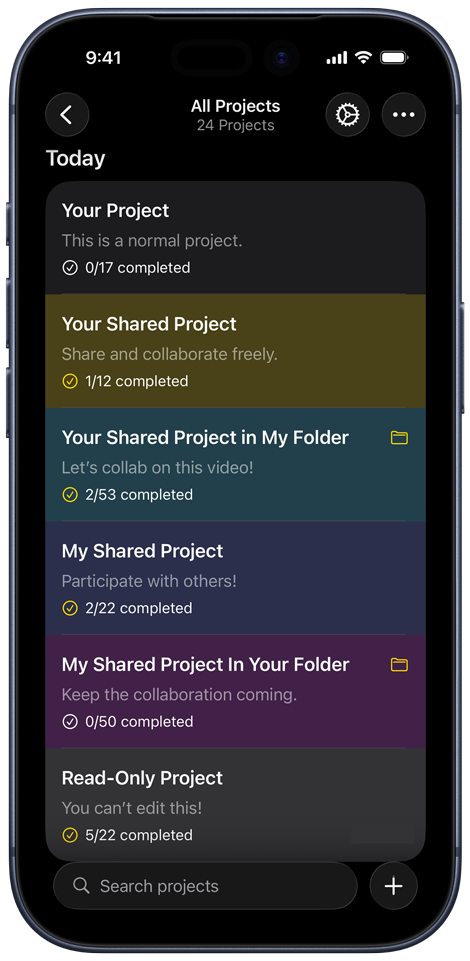
Cueboard Colors of Collaboration